

You can publish the best page in your industry and still get zero visits from Google. If Google can’t crawl it, it might as well be a draft sitting on your laptop.
So, what is technical SEO? It’s the foundation that decides whether Google can find, read, and trust your website, before a single blog gets written or a single link gets built. When that foundation is cracked, everything you stack on top of it works less well.
I’m Hardik Vaghani, founder of HV Digital Marketing in Surat. We run technical SEO audits for local and service businesses across India, the UK, and the US, and this guide covers the fixes that move the needle most. No jargon dumps. No developer needed to follow along.
The Short Version
Technical SEO is the set of behind-the-scenes fixes that help search engines crawl, index, and understand your website. It covers page speed, mobile usability, security, site structure, and structured data. If any of those break, Google can skip your pages no matter how good the content is.
Why Your Good Website Still Isn’t Getting Found
“We redesigned the site, we post every week, and Google traffic hasn’t moved.” That’s the sentence I hear most.
Sometimes the content really is the problem. More often, the site itself is quietly getting in the way. Pages crawl along on phones. A leftover setting tells Google to ignore a service page. Three versions of one URL compete against each other.
None of that is visible to a visitor. All of it is visible to Google.
What Is Technical SEO? How It Differs From On-Page and Off-Page SEO
Think of your website as a shop. Technical SEO is the building itself: the wiring, the doors, whether the lights actually switch on. On-page SEO is what’s on the shelves and how it’s labelled. Off-page SEO is your reputation on the street.
Google judges all three. But it judges them in that order.
Technical SEO: What Happens Under the Hood
Technical SEO is the practice of making your site easy for search engines to crawl, render, and index. When it works, nobody notices. When it fails, you see it as a slow page, a missing listing, or a traffic line that quietly goes flat.
On-Page SEO: What Visitors and Google Actually Read
On-page SEO covers your content and how it’s structured: titles, headings, copy, images, and internal links. It’s the pillar most owners already understand. We cover the local side of it in our guide to SEO services in Surat.
Off-Page SEO: Who Vouches for You
Off-page SEO is the authority that comes from outside your site: backlinks, brand mentions, reviews. It’s the slowest pillar to build and the easiest one to fake badly.
Here’s my honest take. Most agency pitches lean on pillars two and three because they’re easy to show in a monthly report. A new blog post is easy to screenshot. A fixed canonical tag isn’t. But skipping the first pillar is how businesses end up paying for content that Google never indexes.
Why Technical SEO Is the Foundation Everything Else Depends On
A site that can’t be crawled can’t rank. Content quality and backlinks don’t change that.
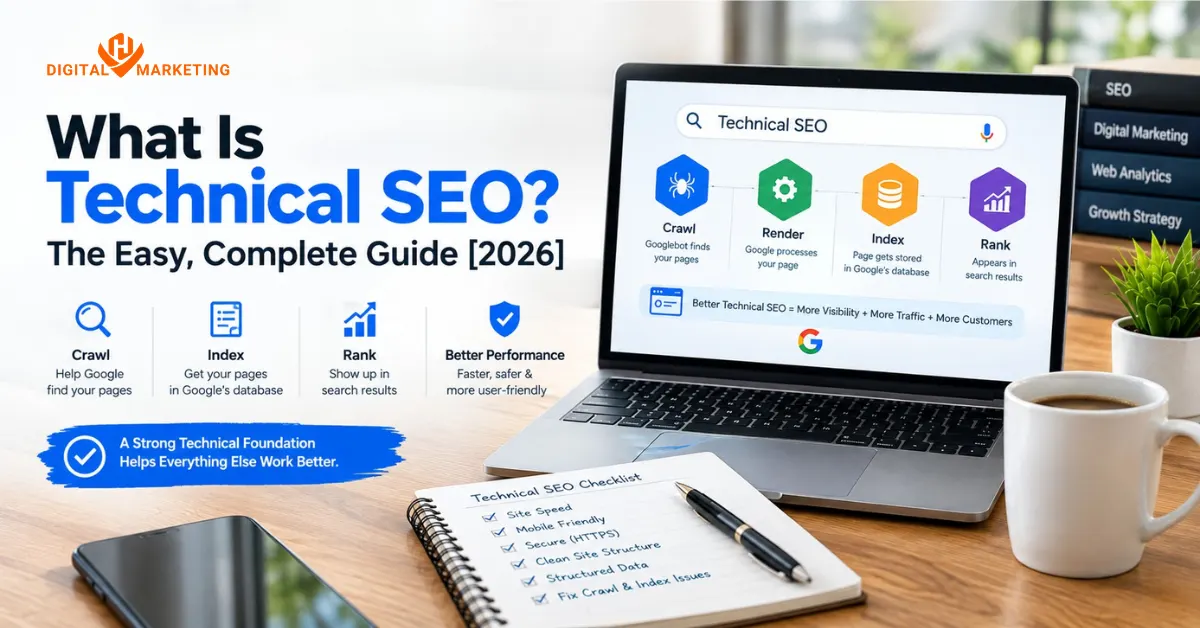
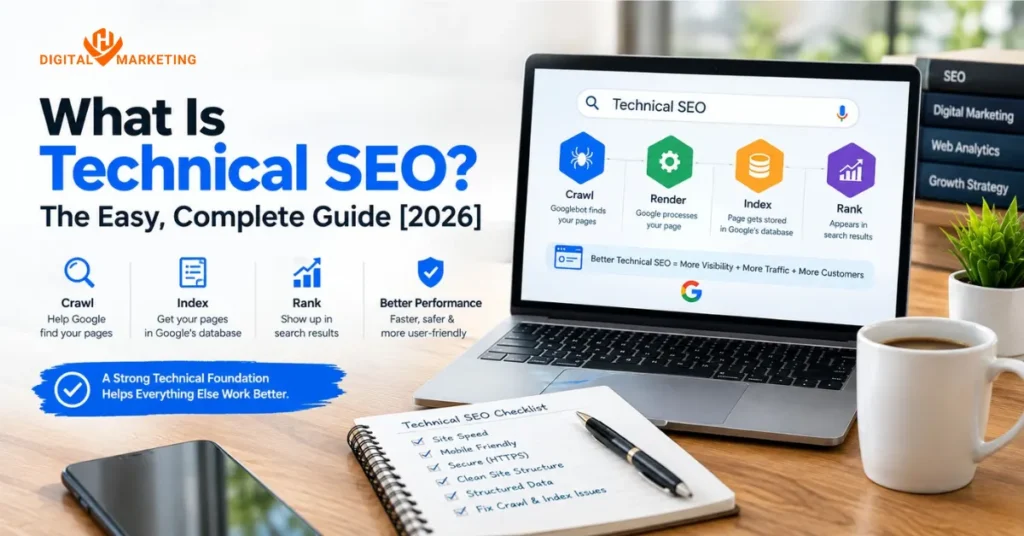
Google works through four stages, and a failure at any stage stops everything after it:
- Crawl: Googlebot finds and fetches your page.
- Render: Google processes the page the way a browser would.
- Index: Google stores the page in its database.
- Rank: Google decides where, if anywhere, the page appears.
So fixing technical SEO problems early protects every rupee you later spend on content and links.
Speed shows how fast this adds up. According to Think with Google’s page load research, the probability of a visitor bouncing rises 32% as load time goes from one second to three. That’s lost enquiries before ranking even enters the picture.
One caveat, because I’d rather be straight with you. Google treats page experience as one signal among many, and strong content can still beat a faster page. Technical SEO won’t rescue thin content. It just stops good content from being held back.
The Six Most Important Technical SEO Areas
Technical SEO is a long list in theory. In practice, six areas cause most of the damage on business websites. They’re also where we start with every client of our SEO services.
Core Web Vitals and Page Speed
Core Web Vitals are three measurements Google uses to judge real-world user experience. Google’s web.dev guide to Core Web Vitals sets the “good” thresholds, measured at the 75th percentile of real visits.
Largest Contentful Paint (LCP)
LCP measures how long the main content takes to appear. Good is 2.5 seconds or less. The usual culprit is a huge hero image or a slow server.
Interaction to Next Paint (INP)
INP measures how quickly the page responds when someone taps or clicks. It replaced First Input Delay in March 2024, and good is 200 milliseconds or less. Heavy JavaScript, chat widgets, and stacked tracking scripts are the common causes.
Cumulative Layout Shift (CLS)
CLS measures how much the page jumps around while loading. Good is 0.1 or less. Images without set dimensions and late-loading banners cause most of it.
Here’s a hot take. Chasing a perfect 100 on PageSpeed Insights is a waste of money. Passing the real-user Core Web Vitals data is the goal. Stop there.
Crawlability and Indexation
Crawlability is whether Google can reach your page. Indexation is whether Google decides to store it. You need both.
The usual blockers are pages with no internal links pointing to them, broken links, long redirect chains, and settings that tell Google to stay away.
Robots.txt and Noindex Mistakes
Robots.txt tells crawlers where they can go. A noindex tag tells Google not to list a page. Both are useful. Both are also easy to leave switched on after a redesign, and a single stray line can hide your whole site.
XML Sitemaps
A sitemap is a list of the pages you want Google to find. Submit it in Search Console, and keep it to pages that return a normal 200 status and deserve to rank.
HTTPS and Site Security
HTTPS encrypts the connection between your site and the visitor. Google has used it as a light ranking signal since 2014, and Chrome labels plain HTTP pages “Not secure”. That label alone costs you trust on a contact form.
Still on HTTP? Install an SSL certificate, 301-redirect every HTTP URL to its HTTPS version, and fix any mixed content, meaning images or scripts still loading over HTTP. Most hosts handle the certificate for free.
Mobile-First Optimisation
Google now uses the mobile version of your pages for indexing and ranking. So if your phone layout hides content that the desktop version shows, Google may never see it.
Check three things. Is the text readable without zooming? Are buttons big enough to tap? Do mobile and desktop carry the same content, links, and structured data? For local service businesses, a big share of searches start on a phone anyway, so this fix pays twice.
Structured Data and Schema Markup
Schema markup is code that tells Google what your content means, not just what it says. A page with a phone number and the word “Surat” is just text. With LocalBusiness schema, Google knows it’s a business with an address and a contact number.
It can unlock rich results such as star ratings, product details, and event listings. One caveat: Google now shows FAQ rich results for only a narrow set of sites, so don’t expect expandable FAQs under your listing. FAQ markup still helps machines read your page. Check everything with the Schema Markup Validator before you publish.
Canonical Tags and Duplicate Content
Duplicate content happens when the same page opens at more than one URL. HTTP and HTTPS. With and without www. With and without a trailing slash. With tracking parameters tacked on. Google sees each one as a separate page.
A canonical tag tells Google which version is the master copy. Google’s own guidance on consolidating duplicate URLs is worth a read. And no, duplicate content rarely triggers a penalty. It just splits your ranking signals across the copies, so none of them ranks as well as one clean page could.
Our affordable SEO services for small business include fixing exactly this kind of basic setup before anything fancier.
How to Run a Basic Technical SEO Audit Yourself (Free Tools)
You don’t need a paid platform to find the big problems. Four free tools cover almost all of it.
| Tool | Best for | Cost | Difficulty |
|---|---|---|---|
| Google Search Console | Indexing issues, Core Web Vitals, mobile problems | Free | Easy |
| PageSpeed Insights | Speed and Core Web Vitals, page by page | Free | Easy |
| Screaming Frog SEO Spider | Broken links, redirects, missing titles, noindex tags | Free up to 500 URLs | Medium |
| Schema Markup Validator | Spotting errors in structured data | Free | Easy |
Check Your Site’s Technical Health in 15 Minutes
No developer needed. Here’s the route I’d take:
- Search Console, Pages report (3 minutes). It used to be called Coverage. Open the “Not indexed” list and read the reasons.
- Search Console, Core Web Vitals report (3 minutes). Check mobile first. Note any URL groups marked Poor.
- PageSpeed Insights (3 minutes). Test your homepage and your top service page. Read the real-user data at the top, not just the lab score.
- Screaming Frog (4 minutes). Crawl your site, sort by status code, and look for 404s, redirect chains, and pages marked noindex.
- Schema Markup Validator (2 minutes). Paste in a service page URL and look for errors.
The result is a short list of problems. Rank them by how many pages each one touches, and start with the biggest.
This won’t catch everything. Server logs, JavaScript rendering problems, and international targeting need deeper tools. That’s a separate post.
What I See on Almost Every Audit
Here’s the pattern, and it’s rarely glamorous. A business redesigns its website because the old one looked dated. The new site looks great. Three months later, enquiries drop and nobody can say why.
Say you’re a Surat diamond exporter who moved to a new theme last spring. (This is a composite scenario, not one named client.) The developer built it on a staging site, ticked “discourage search engines”, and forgot to untick it at launch. The old URLs weren’t redirected either. Google kept the old pages for a while, then dropped them.
That’s not a content problem. It’s a launch checklist problem. The fix takes an afternoon: remove the noindex, add 301 redirects from old URLs to new ones, resubmit the sitemap. Recovery isn’t instant, though. It usually takes weeks, and I’d be lying if I promised you a date.
My rule on audits: start in Search Console, not in the content. If the site isn’t being crawled and indexed properly, editing content is just rearranging furniture in a locked room.
When You Need a Professional Technical SEO Audit
The DIY check covers the basics. Some situations need more.
- Pages won’t index. You’ve fixed the obvious things and Search Console still says “Discovered, currently not indexed” or “Crawled, currently not indexed.”
- Traffic dropped after a site change. A redesign, a migration, a new CMS, a switch to HTTPS. The timing is the clue.
- Core Web Vitals keep failing. Compressing images didn’t help, so the cause is deeper, usually code or hosting.
- Crawl budget is being wasted. Filter pages and parameter URLs can create thousands of near-copies. Google’s crawl budget guidance says this mostly matters for very large or fast-changing sites.
If you run a 30-page service website, crawl budget almost certainly isn’t your problem. And if your DIY check comes back clean, you might not need an audit at all. I’d rather tell you that than sell you one.
Comparing providers? Our guide on how to choose an SEO agency lists the questions worth asking.
Technical SEO FAQs
Q. What is technical SEO in simple words?
A. It’s making sure Google can reach, read, and trust your website. Think of it as maintenance for the parts of your site visitors never see: speed, security, structure, and code.
Q. Do I need technical SEO if my website is new?
A. Yes, and a new site is the cheapest time to do it. Getting the setup right from day one prevents problems that compound, like duplicate URLs or a bloated theme. Fixing them after a year of content is slower and costs more.
Q. What is a crawl budget and why does it matter?
A. Crawl budget is the number of pages Google will crawl on your site in a given period. If your setup sends Google to thousands of low-value pages, such as filtered or duplicate URLs, your important pages get visited less often. For small sites, it’s rarely the bottleneck.
Q. How do I fix Core Web Vitals?
A. It depends on which metric is failing, but three fixes cover most sites. Compress and properly size your images, cut unused JavaScript, and turn on server-side caching. A performance plugin handles some of this on WordPress. The rest usually needs a developer.
Q. Does site speed affect Google rankings?
A. Yes. Google uses page experience signals, including LCP and INP, in its ranking systems. They’re one signal among many, though, so relevance and content quality still matter more. Speed also affects conversions, because slow pages lose visitors before they act.
Q. What is schema markup?
A. It’s structured data code that tells Google what your content means. It can enable rich results like star ratings and product details in search. Most WordPress sites add it through an SEO plugin.
Q. What’s the difference between technical SEO and on-page SEO?
A. Technical SEO deals with how your site works: speed, crawling, indexing, and security. On-page SEO deals with what’s on each page: content, headings, and titles. You need both, but a broken technical setup limits what good on-page work can do.
Q. Why is my page not showing up on Google?
A. Start with the URL Inspection tool in Search Console. It tells you whether the page is indexed and, if not, why. The usual suspects are a noindex tag, a robots.txt block, a canonical pointing somewhere else, or a brand-new page Google hasn’t crawled yet. New pages can take days to appear.
Fix the Foundation First, Then Build on It
Technical SEO isn’t glamorous. Nobody celebrates a fixed redirect. But it’s the difference between a website Google trusts and one it quietly ignores.
So run the 15-minute check this week. If it turns up more than you’re comfortable fixing yourself, that’s exactly the kind of work Hardik and the team at HV Digital Marketing do for service businesses every day. See what else we handle as a digital marketing agency in Surat.

Lead Strategist & Founder (HV Digital Marketing)
SEO Expert, Digital Marketing, Google Ads, Meta Ads, LinkedIn Ads, ChatGPT Ads, & Pinterest Ads Expert
As the founder of HV Digital Marketing, Hardik brings a dual focus of technical marketing expertise and creative campaign execution to every client project. Based in Surat, he specializes in building scalable online growth frameworks using Advanced SEO, localized lead generation, and highly targeted paid advertising across Google, Meta, LinkedIn, ChatGPT, and Pinterest.
Having driven success for businesses in highly competitive sectors including real estate, solar, commercial technology, and healthcare Hardik bridges the gap between raw data and creative strategy. He oversees every aspect of the marketing funnel, from keyword research and WordPress optimization to visual asset design and ad spend management, ensuring every campaign is fully optimized for maximum return on investment.
Expertise: SEO | Technical SEO | Google Ads | Meta Ads | LinkedIn Ads | ChatGPT Ads | Pinterest Ads | Content & Campaign Strategy | Graphic & Visual Design | Core Web Vitals | Digital Marketing | Lead Generation | Local SEO